BISP Payment Tracking CNIC 2025: Check Online 8171 Payment Status Latest Method in 2025

BISP Payment Tracking CNIC is the easiest and most reliable way for beneficiaries to check whether their Benazir Income Support Programme payment has been released or not. In 2025, the Government of Pakistan has fully digitalized the BISP system, allowing eligible women to verify their payments online without visiting any office or agent.
What is BISP Payment Tracking CNIC?
BISP Payment Tracking CNIC is an official online system introduced by the Government of Pakistan to help beneficiaries easily check their payment details. By entering your CNIC number, you can instantly view whether your BISP installment has been transferred, is under process, or pending verification.
This system ensures full transparency and eliminates the need for physical visits to payment centers or agents.

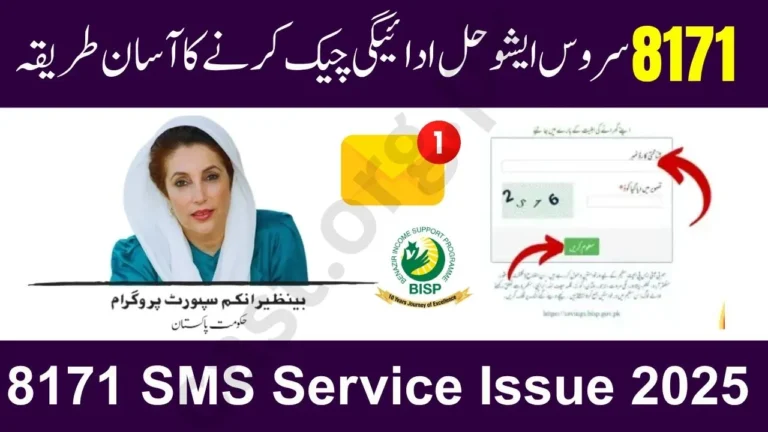
How to Check BISP Payment by CNIC Online 2025
Follow these steps carefully to track your BISP payment online using CNIC:
- Visit the official website:
Open https://8171.bisp.gov.pk. - Enter your CNIC number:
Type your 13-digit CNIC number without spaces or dashes. - Fill the captcha code:
Enter the verification code as shown on screen. - Click on “Check Status”:
The system will show your latest BISP payment details, including:- Payment month (e.g., September 2025)
- Amount disbursed
- Status (Paid / Pending / Under Verification)
- Bank or agent information
- Save the information:
Take a screenshot or note down the details for future reference.
BISP Payment Tracking 2025
| Feature | Details |
| Official Website | 8171.bisp.gov.pk |
| Tracking Method | CNIC Number |
| Payment Type | Quarterly Installment |
| Payment Amount (2025) | Rs. 13,500 per family |
| Helpline Number | 0800-26477 |
| SMS Inquiry | Send CNIC to 8171 |

How to Check BISP Payment Without Internet
If you don’t have internet access, there are still easy methods to check your BISP payment tracking through SMS or the mobile app.
 WhatsApp Channel
Method 1: SMS to 8171
- Write your CNIC number (no spaces or dashes).
- Send it to 8171.
- You’ll receive a message showing your eligibility and payment details.
Method 2: BISP Mobile App
- Download the BISP App from Google Play Store.
- Login with your CNIC number.
- View your balance, eligibility, and payment history anytime.
BISP Payment Tracking Through Banks
BISP has also linked payments with multiple banks to make withdrawals easier. You can check your payment status through the following partner banks using your CNIC:
| Bank Name | How to Track Payment |
| HBL Konnect | Use HBL Konnect App or visit agent |
| Bank Alfalah | Visit Alfalah Digital Agent or branch |
| Meezan Bank | Verify through Meezan BISP agent |
| UBL Omni | Check through CNIC at any Omni agent |
If your payment is ready for ATM withdrawal, the 8171 portal will display that information.

Common Errors & Noises Families Face
Sometimes the system shows errors or incomplete results. Here’s how to handle them:
1. “No Record Found” Message:
- Your data might not be updated yet. Try again later.
- Make sure your CNIC is entered correctly.
2. “Under Verification” Status:
- This means your data is being reviewed under the NSER survey.
- Payment will be released once verification completes.
3. Payment Released but Not Received:
- Visit your nearest BISP Tehsil Office or authorized bank agent.
- Take your CNIC and message proof with you.
Reasons for BISP Payment Delays
| Reason | Explanation |
| CNIC Expired | Renew your CNIC at NADRA first |
| NSER Verification Pending | Family re-verification under process |
| Bank Link Issue | Delay between BISP and partner bank |
| Biometric Error | Fingerprint mismatch during withdrawal |
| Server Maintenance | Temporary issue on 8171 portal |

Important Tips for Beneficiaries
- Always use only the official 8171 website for checking payments.
- Never share your CNIC number or OTP with anyone.
- Make sure your SIM card and CNIC are registered under the same name.
- Update your NSER survey regularly if family details change.
- Keep record of all SMS notifications and payment receipts.
How to Update Your Data for Accurate Payment Tracking
If your CNIC or family details have changed, update your NSER record as follows:
- Visit the nearest BISP Tehsil Office.
- Bring your original CNIC and family documents.
- Request for the NSER data update form.
- Submit and verify your details.
- Your information will update in the system within 15–30 days.

Final Thought
The BISP payment tracking CNIC system ensures that every eligible Pakistani woman can check her payment safely and quickly. By regularly verifying your payment online, you can stay updated and avoid any delays or misinformation.
FAQs about BISP Payment Tracking CNIC
Q1: What is the official portal to check BISP payments?
You can check your status at 8171.bisp.gov.pk.
Q2: Can I check my BISP payment through SMS?
Yes, send your CNIC number to 8171 and you’ll receive your payment details via message.
Q3: How frequently are BISP payments released?
Payments are usually issued quarterly or phase-wise.
Q4: Why does the portal show “No Record Found”?
It means your record is still updating or your CNIC isn’t registered in the current cycle.
Q5: Is biometric verification required for withdrawal?
Yes, biometric verification is mandatory for most BISP beneficiaries.